


Archive for the ‘PSD Sitebuilds’ Category

Welcome, in this tutorial il teach you how to convert my “creative design layout” into a working CSS/HTML valid website.

Today I will be walking you through the process of turning our Freelance Home Page PSD into a working HTML / CSS template.
Continue Reading…
Good evening everybody, today i’ll be walking you through the process of coding your “Digital Curriculum Vitae” into a working HTML/CSS Template. Lets get started.
Hello everybody welcome to the second part of the vCard layout tutorial. In today’s tutorial we’ll be converting the vCard into a 4 page template, if you haven’t already id download the free PSD file i released earlier OR feel free to follow along with your own PSD FILE.

PART TWO of the PSD sitebuild for Hosting Layout #2. If you havent already download the FREE PSD here.
Hello everybody as requested heres the PSD sitebuild for Hosting Layout #2. If you havent already download the FREE PSD here.

Hello welcome to the web design layout sitebuild tutorial, today i’ll be taking you through the process of converting it into a one page template.
Good evening welcome to another tutorial by the hv team, in todays tutorial il be showing you how to slice and dice the dark layout #2 PSD into a working template.

Hello welcome to part 3 of the your PROject template. Today we’ll be creating 4 extra pages to go with our template.

Hello welcome to part 2 of the 5 page template series. Today we’ll be converting our PSD into a one page working CSS template. In part 3 we’ll begin to add our additional pages.

Hello everybody today il be showing you how to code the web design layout #9 PSD. I recently setup a poll to see which one you all wanted to see as a coded tutorial, and this one won. Thanks to everyone who took part in the submission process.
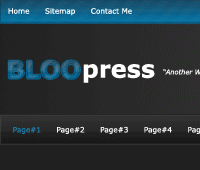
Hello everybody welcome to part #2 of the BLOOpress wordpress theme, today we’ll be converting the BLOOpress photoshop mockup into a one page CSS template.